

If you are preparing for the UPSC Civil Services Examination 2026, knowing how to fill the UPSC Application Form correctly and completely is absolutely non-negotiable. The UPSC CSE 2026 Notification was released on 4th February 2026, formally opening the Civil Services Examination with approximately 933 vacancies. The application window ran until 24th February 2026 (6:00 PM), and this year’s notification introduced several important procedural changes in the online application system, profile management, and eligibility-related rules that every aspirant must understand before touching the form.
A small mistake in the application can cost you an entire year, so go through every section, every new rule, and every update carefully before you submit.
UPSC CSE 2026 – Key Highlights
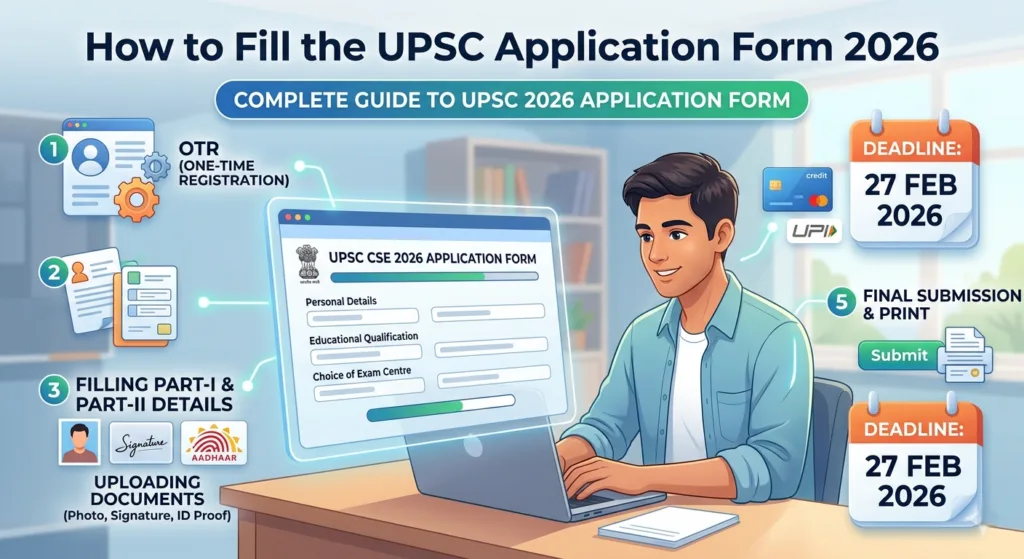
Here are the key highlights for the UPSC CSE 2026
| Particulars | Details |
| Notification Released | 4th February 2026 |
| Total Vacancies | Approximately 933 |
| Application Window | 4th February to 24th February 2026 (6:00 PM) |
| Official Portal | upsconline.nic.in/upsc.gov.in |
Introduction of the Four-Stage Online Application System 2026
UPSC has completely redesigned its application portal into a four-module system for 2026. Three of these modules are common across all UPSC exams, while one module is exam-specific. This new structure reduces repetitive data entry and makes the overall process cleaner for repeat applicants.
Here is how each stage works:
Stage 1 – Account Creation
Candidates must first create an account on the official UPSC online portal using basic details like their email ID and mobile number. This is the starting point for everything that follows.
Stage 2 – Universal Registration Number (URN)
After creating an account, the system generates a Universal Registration Number (URN). This URN is permanent for life and is used for all future UPSC examinations. You only need to create the URN once, for every new exam after this, you will not go through the registration process again. The URN is your permanent identity on the UPSC portal.
Stage 3 – Common Application Form (CAF)
The Common Application Form (CAF) collects your general details that apply to all UPSC examinations. Since this form is common, you do not have to refill it every time you appear for a different UPSC exam. The CAF covers:
- Personal information
- Educational qualification
- Identity proof
- Address details
- Category details
Stage 4 – Examination-Specific Module
This is the final stage and the only part that changes from examination to examination. In this module, candidates select:
- Exam centre preference
- Fee payment
- Service preference
- Optional subject
- Medium of examination
How to Fill the UPSC Common Application Form (CAF) – Section by Section
The UPSC Common Application Form is divided into ten sections. Each section collects specific information, and every field must be filled accurately since no corrections are allowed after submission.
1. Personal Profile
This section collects the candidate’s personal information, full name, date of birth, gender, parent names, birthplace, and nationality. Every detail here must be accurate and match your official documents, as this section forms the foundation for the entire application.
2. Parents’ Profile
Candidates provide details about their parents in this section, including their names, education, occupation, and mobile number. This information helps verify family background and social category during the verification process.
3. Social Category Profile
This section captures the candidate’s social category — SC, ST, OBC, EWS, or General. Candidates from reserved categories must upload valid and current category certificates for verification. This section directly determines your reservation eligibility and the benefits you are entitled to under government norms.
4. Disability Profile
If you have any physical or mental disability, you must declare it here along with a valid disability certificate. This section ensures that UPSC provides appropriate accommodations such as extra time, special facilities, or other provisions during the examination process.
5. Address
Candidates must provide both their permanent and correspondence addresses, including state, district, pincode, and contact numbers. Accurate address information is essential because exam-related communications, admit cards, and official notifications are sent to the address recorded here.
6. Educational Profile
This section captures your complete academic qualifications such as school, college, university, year of passing, and marks or grades obtained. Graduation, post-graduation, and other relevant certificates must be uploaded. This section validates whether the candidate meets the minimum academic eligibility criteria for UPSC examinations.
7. Employment Experience Profile
Candidates with work experience must provide details such as organisation name, designation, tenure, and responsibilities. This section matters for evaluating prior work experience and government service eligibility, and it may be considered at certain stages of the selection process.
8. Achievements
In this section, candidates can mention awards, certificates, sports achievements, literary or artistic accomplishments, and any other notable recognition. This section highlights your diverse skills, talents, and extra-curricular excellence beyond academics.
9. Previous UPSC Examination Profile
Candidates must provide details of any prior UPSC examinations they have attempted including the year, name of the exam, and results obtained. This section is important for verifying eligibility, checking prior attempt limitations, and ensuring compliance with debarment rules.
10. Photo and Signature Upload
Candidates must upload a recent passport-sized photograph and a scanned signature in this section. All images must be clear and within the specified dimensions. This step confirms the candidate’s identity and ensures authenticity across all official records and admit cards.
New Rules and Major Updates in UPSC Application Form 2026
The 2026 UPSC application form comes with several important new rules that are stricter than previous years. Every candidate must read these carefully.
Live Photo Capture is Now Mandatory
One of the biggest changes in 2026 is the introduction of live photograph capture during form filling. Candidates must:
- Upload a recent photograph
- Capture a live photo during the form-filling process
Both photos must be clear and must match your current appearance. Blurred or mismatched images will lead to rejection. UPSC has introduced this step specifically to prevent impersonation and strengthen identity verification.
New Signature Upload Rule
Applicants must follow a specific process for the signature upload:
- Sign three times on plain white paper using black ink
- Scan all three signatures and upload the image
The signature must be clear and fully readable. Incorrect, unclear, or incomplete uploads may invalidate the application.
Aadhaar-Based Verification Encouraged
UPSC strongly advises candidates to use Aadhaar as their primary identity document for the application process. Aadhaar-based verification enables quicker processing and smoother authentication on exam day.
Other valid identity documents that UPSC accepts include:
- Voter ID
- PAN Card
- Passport
- Driving Licence
No Correction or Withdrawal After Submission
This is one of the strictest rules for 2026 and every candidate must treat it seriously. Once the application is submitted:
- No editing is allowed
- No correction is allowed
- No withdrawal is allowed
There are absolutely no exceptions to this rule. This is why reviewing every single detail carefully before clicking the submit button is so critical. Once you submit, what is on the form is what stays.
One-Time URN Profile Update Facility
UPSC gives candidates a one-time opportunity to update their URN profile. Two important things to note about this:
- Any changes made to the URN profile will not affect applications that have already been submitted
- Updates will only apply to future applications
This means you must get your URN profile details right from the beginning. The one-time update is a safety net, not a routine correction tool.
Online Admit Card Only – No Postal Dispatch
Admit cards for UPSC CSE 2026 will not be sent by post or email. Candidates must:
- Download the e-Admit Card directly from the official UPSC website
- Carry a valid photo ID to the exam centre on the day of the examination
Face Authentication at Exam Centre
UPSC has introduced mandatory face authentication at examination venues for 2026. Every candidate must go through:
- Face verification
- Identity check
- Frisking
Since this process takes time, arriving at the exam center well before the reporting time is strongly recommended to avoid any delays or complications on exam day.
Key Points Every Candidate Must Remember
Before you go ahead and start filling the form, here is a quick checklist of everything you need to keep in mind:
- Register once using your URN—you will not need to register again for future UPSC exams
- Fill the CAF carefully and accurately—it covers your personal, educational, category, and address details
- Upload a live photo during form filling this is now mandatory
- Upload a clear signature signed three times on white paper using black ink
- Use Aadhaar for faster and smoother verification
- Double-check every single field before final submission
- No correction or withdrawal is allowed after submission
- Download your admit card online, it will not come by post
- Arrive early at the exam centre to complete face authentication without stress
Aspirants looking for region-specific guidance can consider UPSC coaching in north east India with focused mentoring and exam-oriented preparation.
Final Thoughts
Filling the UPSC Application Form 2026 correctly is the very first step of a journey that can change your life. With approximately 933 vacancies and a completely redesigned four-module application system, 2026 brings both new opportunities and new responsibilities for every aspirant.
The introduction of the URN system, mandatory live photo capture, the strict no-correction policy, and face authentication at exam centers means that candidates must approach the application process with more care and attention than ever before. Prepare all your documents in advance, fill every section accurately, review everything before you hit submit, and download your e-Admit Card from the official portal when it becomes available.
One careful application is better than a rushed one you later regret. Take your time, follow every step in this guide, and give yourself the best possible start to your UPSC 2026 journey.
Students seeking expert mentorship can explore UPSC coaching in Assam offered by experienced faculty and structured preparation programs.
Frequently Asked Questions:
The UPSC form filling new rules for 2026 bring several significant changes compared to previous years. First, UPSC has moved to a four-module application system — Account Creation, URN generation, Common Application Form (CAF), and Examination-Specific Module to reduce repetitive data entry across multiple exams. Second, live photo capture is now mandatory alongside the regular photograph upload, and both images must be clear and match each other. Third, candidates must sign three times on white paper using black ink, scan it, and upload it as the signature. Fourth, no corrections, edits, or withdrawals are allowed once the form is submitted as this rule is absolute and has no exceptions. Fifth, face authentication has been introduced at exam centres, and candidates must go through identity verification and frisking before entering the hall. Additionally, admit cards will no longer be sent by post or email so candidates must download them online from the official UPSC website.
A Universal Registration Number (URN) is a unique, permanent identification number issued by UPSC to every candidate after they create an account on the official portal. The URN is a one-time registration that stays with the candidate for life and is used for all future UPSC examinations. This means that once you create your URN, you do not need to register again every time you apply for a different UPSC exam, the URN already holds your identity on the portal. UPSC also gives candidates a one-time facility to update their URN profile, but any changes made will not affect applications that have already been submitted as they will only apply to future applications. Because of this, it is extremely important to get all your details right when setting up the URN profile for the first time.
Yes, live photo capture is mandatory during the UPSC Application Form 2026 filling process. This is one of the most significant new additions to the application system in 2026. Candidates must not only upload a recent passport-sized photograph but also capture a live photo during the form-filling process itself. Both images must be clear, properly lit, and must match each other blurred, dark, or mismatched images will lead to rejection of the application. UPSC has introduced this requirement specifically to prevent impersonation and to strengthen identity verification across all stages of the examination process. Make sure you fill the form in a well-lit environment and have your camera or webcam ready for the live photo capture step when it appears during the application process.