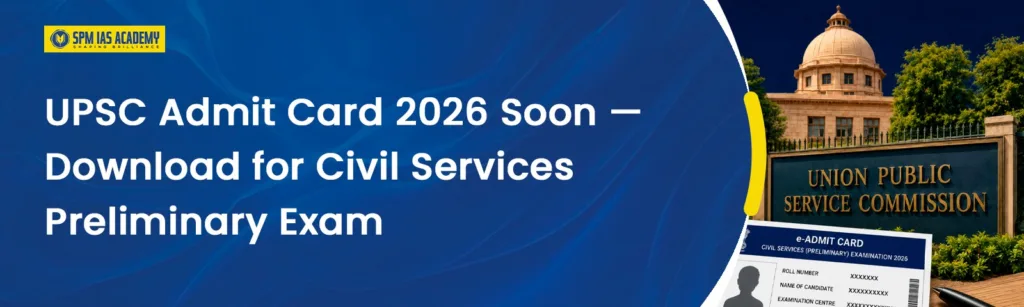
If you are among the thousands of candidates who registered for the UPSC Civil Services Examination 2026, then one thing needs your attention right now, your UPSC Admit Card. The preliminary examination is coming up on May 24, 2026, and the UPSC Admit Card for this exam will release roughly 10 to 15 days before that date. That puts the expected download window somewhere between May 9 and May 14, 2026.
The admit card is not just a formality. Without a printed copy of it in your hands, entry to the exam hall will be denied entirely. So no matter how well you have prepared, missing this document costs you an attempt. This article covers everything about the UPSC Admit Card 2026, when it is released, how to download it, what details it carries, what to carry on exam day, and how to handle errors if you spot any.
About UPSC Civil Services Examination 2026

The Union Public Service Commission conducts the Civil Services Examination every year to fill positions in India’s most prestigious government services, including the Indian Administrative Service (IAS), Indian Police Service (IPS), Indian Foreign Service (IFS), Indian Revenue Service (IRS), Indian Audit and Accounts Service (IAAS), and other Group A and Group B central services.
For 2026, UPSC has announced a total of 933 vacancies, out of which 33 posts are reserved for Persons with Benchmark Disabilities (PwBD). The selection process runs through three stages, the Preliminary Examination, the Mains Examination, and the Personality Test (Interview). Candidates must clear each stage in order to move to the next one.
The UPSC Prelims 2026 is scheduled for May 24, 2026 (Sunday), and the Mains 2026 is scheduled to begin on August 21, 2026. The prelims serve as a screening test, and its marks do not count toward the final merit. Only those who clear the prelims cutoff qualify to appear for Mains, and the final ranking happens based entirely on mains and interview performance.
Students seeking online upsc coaching in assam can access structured mentorship, test series, and live preparation guidance.
UPSC Admit Card 2026 — Expected Release Date
The UPSC Admit Card is expected to go live on upsc.gov.in approximately 10 to 15 days before the Prelims exam, which puts the expected download window around May 9 to May 14, 2026.
Based on previous year trends, UPSC usually uploads the Prelims admit card 10 to 15 days before the exam date, though sometimes the gap may extend to 20 or more days. Given this pattern, the UPSC Admit Card for Prelims is most likely to appear in mid-May 2026.
UPSC does not send individual SMS alerts when admit cards go live, so candidates must check the website themselves. The safest approach is to check upsc.gov.in every morning starting May 8 and not rely on third-party notifications.
One more important point, no physical copies of the UPSC Admit Card will be sent by post. The admit card will be available online only, and candidates must download and print it themselves.
UPSC Prelims 2026 — Exam Pattern Overview
The UPSC Civil Services Preliminary Examination 2026 runs in two sessions on the same day, May 24, 2026. Both papers are objective MCQ-based and conducted in offline OMR mode.
| Paper | Subject | Marks | Duration | Nature |
| GS Paper I | General Studies | 200 | 2 hours | Counts toward the cutoff |
| CSAT Paper II | Civil Services Aptitude Test | 200 | 2 hours | Qualifying only (33% required) |
Paper I—General Studies, covers current events, Indian history and national movement, geography, Indian polity and governance, economic and social development, environmental ecology, biodiversity, and climate change. Paper II, CSAT, tests reasoning ability, reading comprehension, and decision-making skills. CSAT is qualifying in nature, meaning you need a minimum of 33% marks (66 out of 200) to have your GS Paper I score counted. The GS Paper I cutoff then determines who qualifies for the Mains.
Both papers carry negative markings. One-third of a question’s marks get deducted for every wrong answer, while unanswered questions carry no penalty.
Candidates searching for upsc coaching in Guwahati can benefit from classroom mentoring and expert faculty support.
What Does the UPSC Admit Card 2026 Contain?
The UPSC Admit Card carries all the information you need to confirm your exam slot and verify your identity at the exam centre. Here is what appears on it:
| Details on Admit Card | Information Provided |
| Candidate’s Name | As registered in the application |
| Roll Number | Unique exam roll number |
| Registration ID | Application registration number |
| Exam Centre Name and Address | Complete address with centre code |
| Date of Examination | May 24, 2026 |
| Session Timings | Morning session (GS Paper I) and Afternoon session (CSAT Paper II) |
| Reporting Time | Separate reporting time for each session |
| Candidate’s Photograph | As uploaded in the application |
| Candidate’s Signature | As uploaded in the application |
| Important Instructions | Exam day guidelines from UPSC |
Every detail on this card needs a careful check the moment you download it. Even a small error, a blurry photograph, a wrong exam center, or a name mismatch, can create issues at the exam center on exam day.
How to Download UPSC Admit Card 2026 — Step by Step
Downloading the UPSC Admit Card is a straightforward process, but following each step carefully prevents any last-minute login issues. Here is the full process:
Step 1 — Visit the official UPSC website at upsc.gov.in or upsconline.nic.in.
Step 2 — Look for the “What’s New” or “E-Admit Cards” section on the homepage. Once the admit card is released, a direct link titled “e-Admit Card: Civil Services (Preliminary) Examination, 2026” will appear there.
Step 3 — Click the link. A page with exam instructions appears. Read them fully before proceeding and click “Yes” to continue.
Step 4 — Choose your login method — either Registration ID or Roll Number. Enter your credentials along with your Date of Birth and the captcha code, then submit.
Step 5 — Read all the instructions displayed on the screen and give your consent to proceed.
Step 6 — Your UPSC Admit Card 2026 appears on the screen as a PDF. Download it and save a copy securely.
Step 7 — Take at least 2 to 3 clear printouts of the admit card for exam day and future reference. Keep a digital backup on your phone or email as well, though note that a soft copy on your phone is not accepted as a substitute for the printed copy at the exam center.
If you forget your registration ID at any point, use the “Forgot RID” option on the UPSC portal to retrieve it using your registered email ID and date of birth.
What to Carry on UPSC Prelims 2026 Exam Day
The UPSC Admit Card is mandatory, but it alone is not enough. You need to carry a specific set of documents and follow UPSC’s strict exam-day guidelines to enter the exam hall without any issues.
Mandatory Documents
First and most importantly, carry a printed hard copy of your Admit Card. A soft copy or a PDF on your mobile phone will not be accepted at any exam centre.
Along with the admit card, carry the original photo identity proof that you mentioned in your application form, this could be your Aadhaar card, passport, voter ID, PAN card, or driver’s license. If you registered with your passport number, you must carry your passport. You cannot substitute one photo ID type for another on exam day. A photocopy of any ID proof is also not acceptable, only the original document works.
Additionally, carry two to three recent passport-size photographs that are identical to the photo you uploaded in your application. These work as backup, especially if the photograph on your admit card prints out unclear. Write your name and date on the back of each photograph.
Bring two to three black ballpoint pens as well, since OMR sheets must be filled using black ballpoint pens only. Gel pens, ink pens, and pencils are strictly not permitted.
Reporting Time
Entry to the exam center closes 30 minutes before the start of each session, so 9:00 AM entry closes at 8:30 AM for the morning session and 2:00 PM entry closes at 1:30 PM for the afternoon session. Reach your exam center at least 60 minutes early to avoid any last-minute rush.
Prohibited Items
Mobile phones (even when switched off), pagers, pen drives, smartwatches, cameras, Bluetooth devices, and any other electronic gadgets are strictly banned from the exam hall. Do not carry any of these to the venue.
Important 2026 Change — Face Authentication
The UPSC has introduced mandatory face authentication at examination centres in 2026. This is a new addition that most previous-year guides do not mention. Candidates must be prepared for this biometric step at the entry point and ensure that their face matches the photograph submitted during registration.
UPSC Prelims 2026 Exam Centre Details
The Union Public Service Commission conducts the Preliminary Examination across 80-plus cities in India, ensuring wide accessibility for candidates. The UPSC Admit Card will clearly mention the allotted exam centre, including the complete address, centre code, and reporting time.
Since the exam centre gets allotted based on availability, candidates cannot request changes once it is assigned. It is strongly recommended to locate your exam center at least one day before the exam, this helps you estimate travel time, understand the route, and eliminate delays on exam day.
How to Report Errors in Your UPSC Admit Card 2026
If you spot any error in your UPSC Admit Card, an incorrect name, blurry photograph or signature, wrong exam center, or any other discrepancy, report it to UPSC immediately. Do not wait and hope the issue resolves itself.
It is recommended to report errors as early as possible, preferably within 7 days of the admit card release, to avoid last-minute complications.
You can contact UPSC through the following helpline numbers: 011-23381125 / 011-23385271 / 011-23098543. You can also email web-upsc@nic.in for online support. The earlier you raise the issue, the more time UPSC has to resolve it before exam day.
UPSC Mains Admit Card 2026 — What Happens Next?
After the Prelims on May 24, 2026, the results will come out, and only the shortlisted candidates will qualify for the Mains. The UPSC Mains 2026 is scheduled to begin on August 21, 2026. The UPSC Mains Admit Card 2026 will be released only for candidates who clear the Prelims. The release timeline for the Mains admit card will follow the Prelims results announcement.
Candidates must keep the admit card of all stages safe until the publication of the final results. Do not discard your Prelims admit card after the exam, you may need it for verification at later stages of the selection process.
Before exam day, follow these upsc preparation tips for prelims to improve accuracy and time management.
Conclusion
The UPSC Admit Card is one document you simply cannot afford to overlook in the middle of your final weeks of Prelims preparation. Keep checking upsc.gov.in every morning from May 8 onward, download the admit card as soon as it goes live, verify every detail on it immediately, and take multiple printed copies well before May 24. Your Admit Card is not just an entry pass,it is the first practical step of your exam day. Handle it with the same focus and discipline that you have brought to your preparation, and walk into the exam hall fully ready for both papers on May 24, 2026.
Frequently Asked Questions:
If you forget your registration ID, you do not need to panic, UPSC provides a recovery option directly on the official portal. Go to upsc.gov.in or upsconline.nic.in and look for the “Forgot Registration No.” button on the login page. Click it and enter the personal details that the system asks for. Once the system verifies your details successfully, it sends your registration number to the email ID and phone number you used at the time of registration. Make sure you have access to that email and phone before you attempt this. If you face difficulty even after this step, you can reach the UPSC facilitation counter through the official helpline numbers, 011-23381125, 011-23385271, or 011-23098543, during working hours. Always download and save your admit card well before exam day to avoid any last-minute stress around login credentials.
Yes, the admit card portal works on a smartphone browser, and you can technically access and download the PDF on your phone. However, using a desktop or laptop is strongly recommended for the download process because it reduces the chances of login errors or PDF loading issues. More importantly, you must carry a physical printed copy of the admit card to the exam centre, a soft copy or PDF on your mobile phone will not be accepted as a valid entry document under any circumstances. So even if you initially download it on your smartphone, make sure you take at least two to three clear printed copies before exam day. Store a digital backup on your phone or email only as a secondary reference, never as a substitute for the printed copy.
No, a soft copy of the Admit Card will not be accepted at the exam centre under any circumstances. The UPSC requires candidates to carry a printed hard copy of the admit card along with an original, valid photo identity proof. The exam centre staff conduct verification using the physical document, and showing a PDF on your phone screen or a printout that is too dark or unclear may also create problems. Take at least two to three clear, good-quality printouts of your admit card so you have backups in case one copy gets damaged or illegible. Additionally, keep your admit card safe for all stages of the examination, Prelims, Mains, and Interview, because UPSC may ask you to produce it at any point during the selection process until the final result is declared.